Analytics
TAP has two views:
- Publisher Summary - goto analytics from the left nav
- Per-Feed view - analytics tab inside each feed's detail page
Publisher Summary
Totals for clicks, earnings, average EPC (earnings per click), expired and stale clicks, and jobs receiving clicks across every feed on the account. Very similar data to the earnings report.
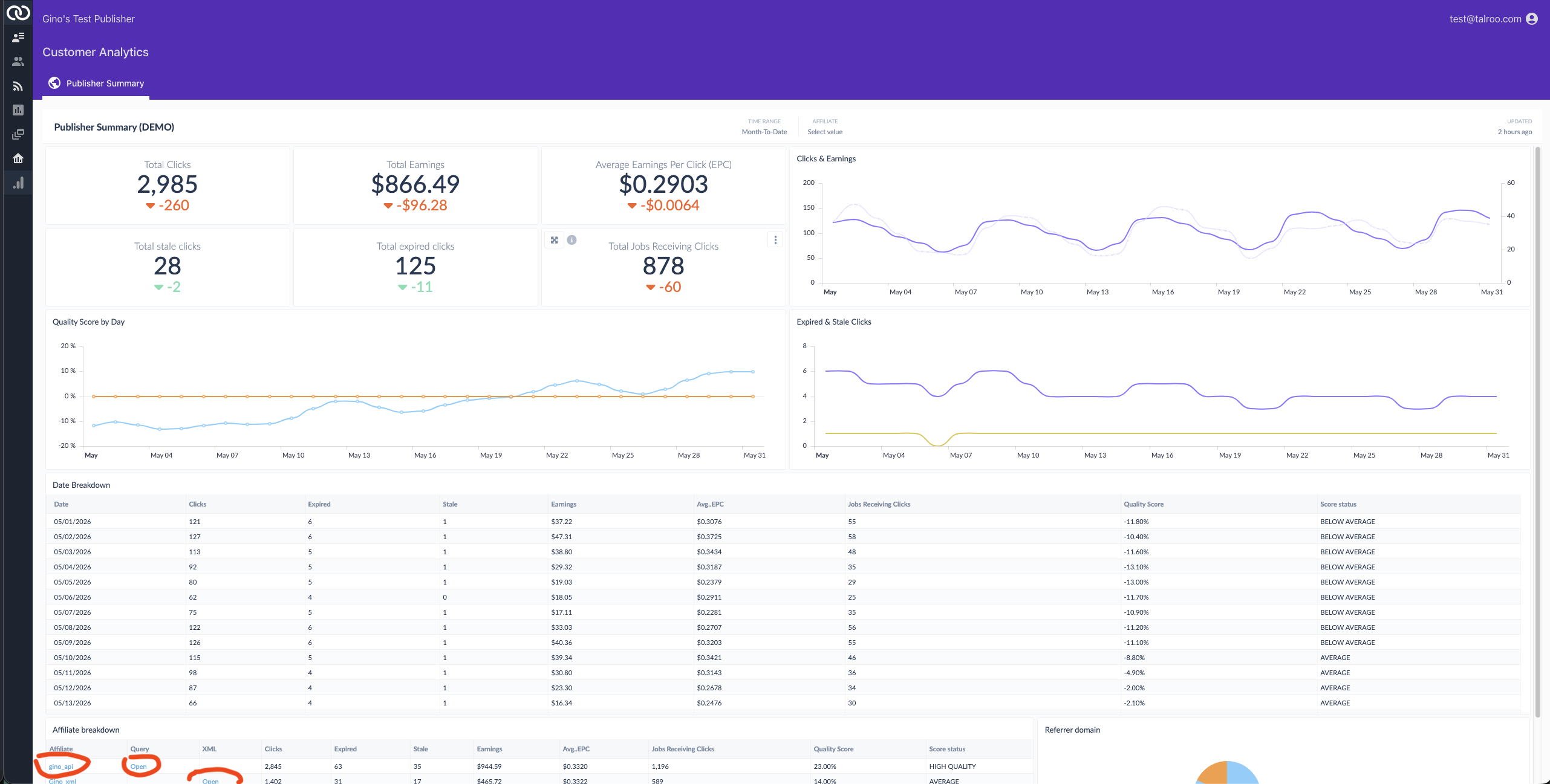
| Section | Description |
|---|---|
| Top-line cards | Total Clicks, Total Earnings, Average EPC, Total stale clicks, Total expired clicks, Total Jobs Receiving Clicks. Each shows the delta vs. the previous time period. |
| Clicks & Earnings | Time-series chart of clicks (left axis) and earnings (right axis) over the selected window. |
| Quality Score by Day | Daily Quality Score trend vs. the network baseline (0%). See Quality Score. |
| Expired & Stale Clicks | Daily count of expired and stale clicks. See Click Validation. |
| Date Breakdown | Per-day table: clicks, expired, stale, earnings, avg EPC, jobs receiving clicks, Quality Score, and a status label (e.g. BELOW AVERAGE, AVERAGE, HIGH QUALITY). |
| Affiliate Breakdown | Same metrics broken down by affiliate ID, query, and (for XML) feed. Click a row to see which affiliate is dragging the average. Use the back arrow at the top to return to the main dash. |
| Referrer domain | Pie chart of clicks by the referrer value you pass on Search API requests and outbound job click URLs. See Referrer. |
| Filters | Top-right controls let you change the time window (Month-to-Date by default) and filter down by affiliate. |
Per-Feed Analytics
Click into a feed from the Feeds list (or open one and switch to the Analytics tab) to see the same metrics scoped to a single integration. This page has two sub-tabs that you can switch between. API feeds show Feed overview and Query detail; XML feeds show Feed overview and XML detail.
Feed Overview
contains the same metrics as the Publisher Summary, but scoped to one feed.
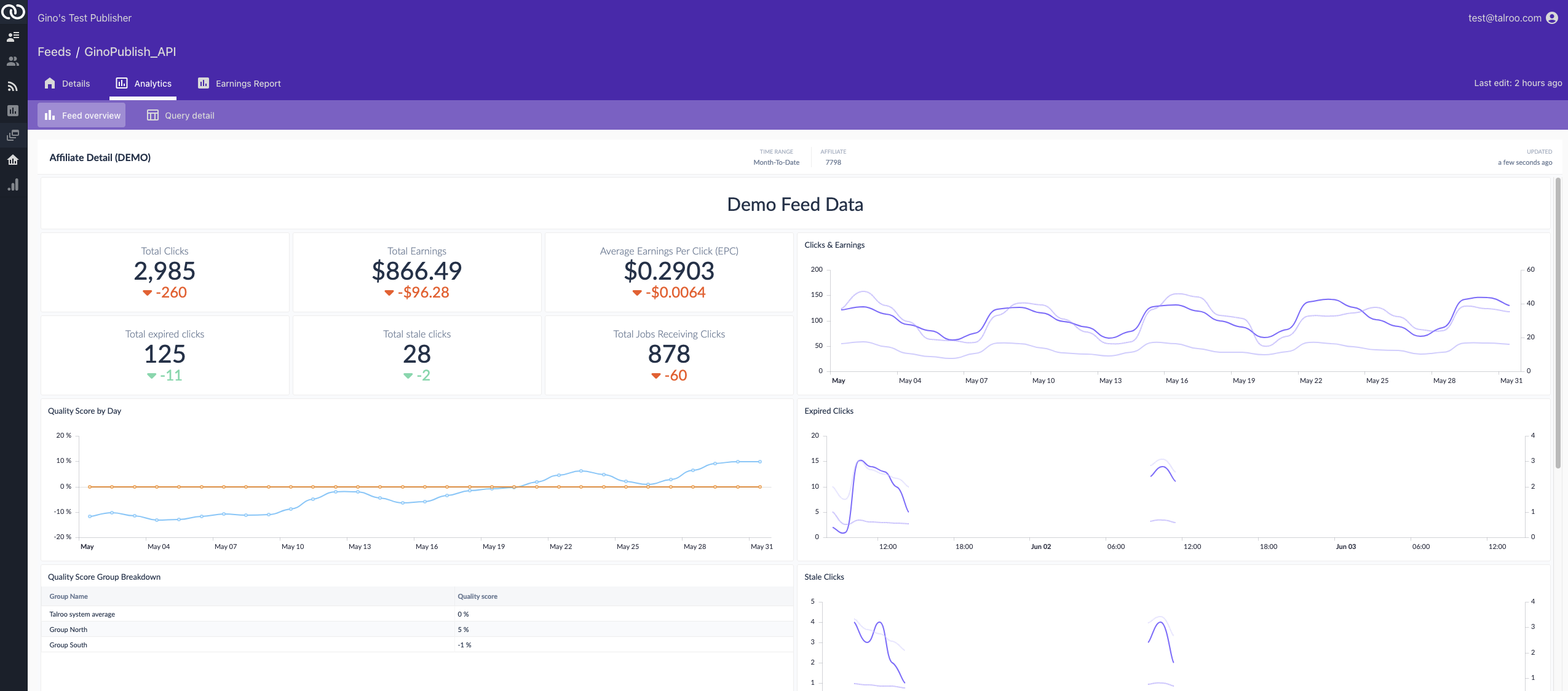
What's different from the Publisher Summary:
| Section | Description |
|---|---|
| Quality Score Group Breakdown | your current Quality Score per group (e.g. by region or sub-feed) compared to the Talroo system average |
| Expired and Stale Click charts | Counts over time for expired & stale clicks. Contains median and max age stats for diagnosis. |
| Location Map | Clicked job locations in the US |
| Clicks by Day | By day of week |
| Clicks by Hour | By hour of the day |
| Clicks by Device | Mobile vs desktop |
| Location Breakdown | By US city |
| Category Breakdown | By job industry |
Query Detail (API Feeds)
For API feeds, the Query detail tab focuses on what users are searching for and query performance.
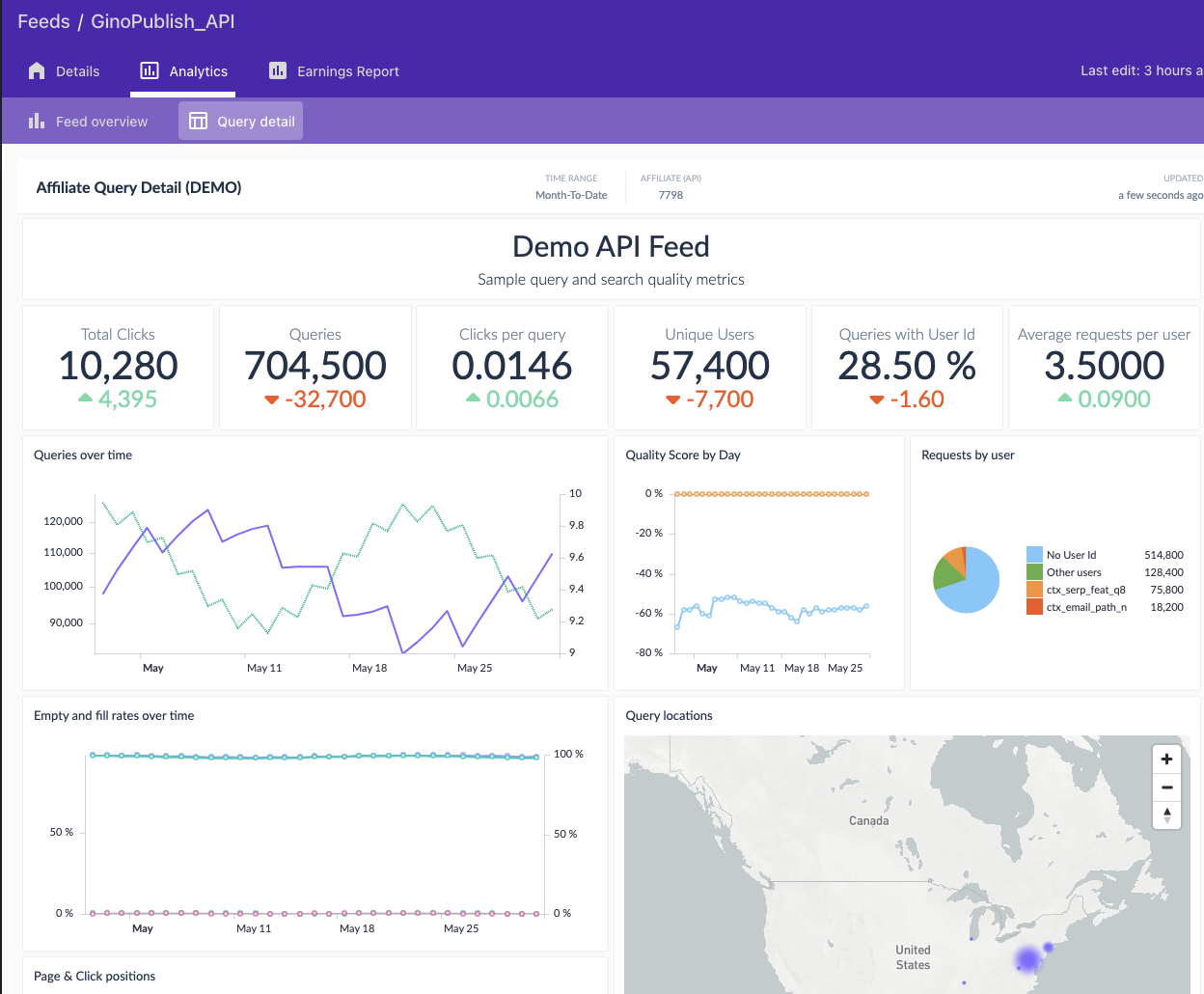
| Section | Description |
|---|---|
| Top-line cards | Total Clicks, Queries, Clicks per query, Unique Users, Queries with User Id (% of queries that included a pid), Average requests per user. Each card shows delta vs. the previous period. |
| Queries over time | Volume of queries you are requesting from the Talroo Api and the average result count per query. |
| Quality Score by Day | Daily Quality Score for this feed. See Quality Score. |
| Requests by user | How many requests utilize identifiers, requests per user, and whether a few programmatic "users" dominate the pie chart. See Personalization (PID). |
| Empty and fill rates over time | What share of queries returned jobs vs. came back empty. A rising empty rate could be due to content issues with low Quality Score. |
| Query locations | Geographic heatmap of where queries are coming from. |
| Page & Click positions | Distribution of which page and which slot on the page generated the click. |
| Top Query Keywords & Locations | Lists of most frequent queries and query locations from your requests |
XML Detail (XML Feeds)
For XML feeds, the XML detail tab focuses on what's in the latest feed and how its inventory has changed over time.
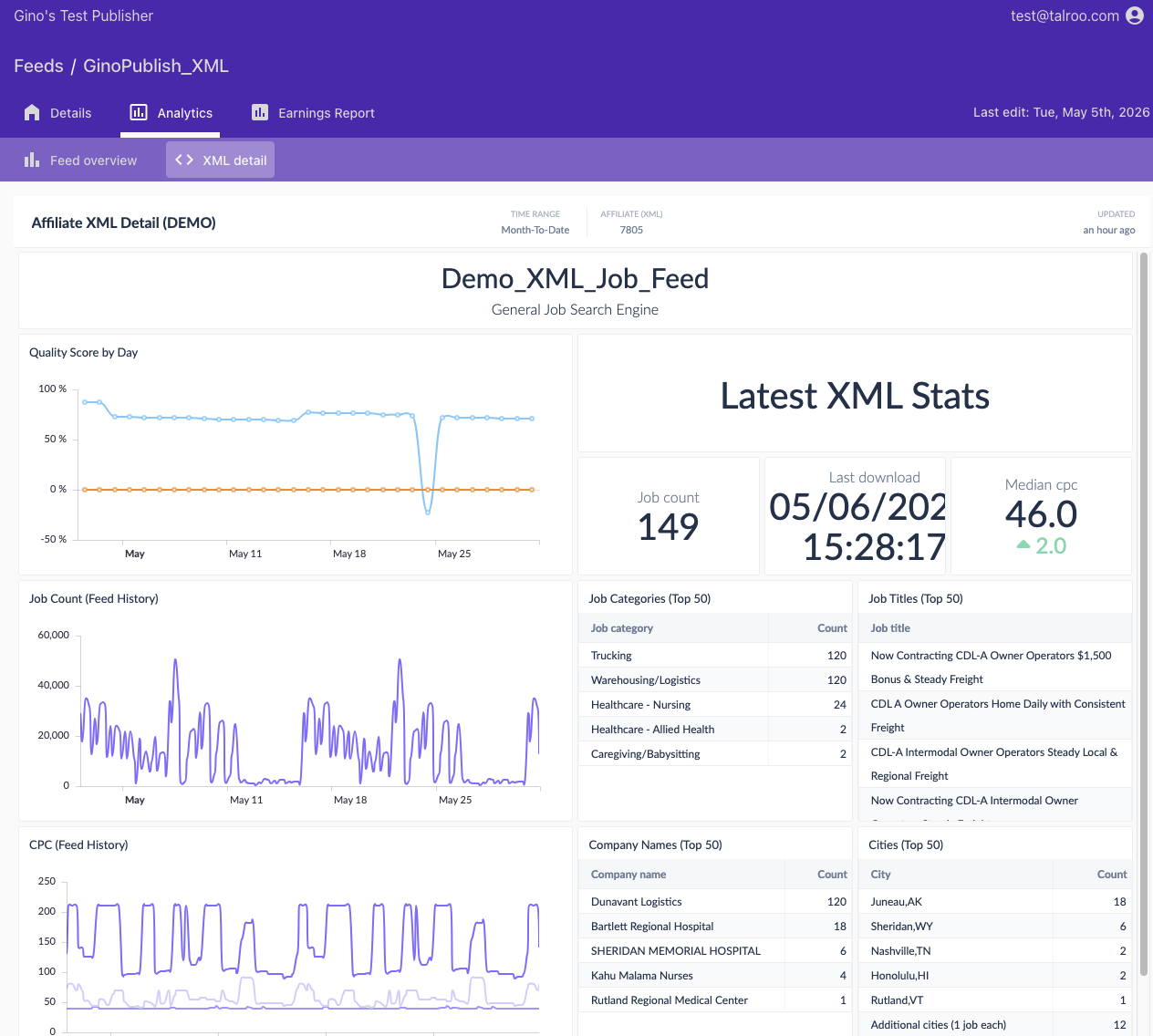
| Section | Description |
|---|---|
| Quality Score by Day | Daily Quality Score for this feed vs. the network baseline. |
| Latest XML Stats | Snapshot of the most recent feed generation: Job count, Last download timestamp, Median CPC, and the Top 50 lists |
| Job Categories (Top 50) | The most-represented categories in the current feed. |
| Job Titles (Top 50) | Most common job titles in the current feed. |
| Company Names (Top 50) | Most common companies in the current feed. |
| Cities (Top 50) | Most-represented cities in the current feed. |
| Job Count (Feed History) | Time series of how many jobs each feed generation contained. Big swings can indicate filter, supply changes, or quality changes. |
| CPC (Feed History) | Time series of CPC over time. Min, Max, and Median CPC show pricing shifts in your inventory. |
| Feed Download Times | List of times that your system downloaded the feed. Can be used to spot misconfiguration of your frequencies or not downloading each feed part. |
| Click Breakdown by Generation | Click count list by the feed generation time and the timestamp of the last click. Can be used to see trends in your imports or whether a job wasn't taken down soon enough if the generation time is more than 24 hours older than the last click time See Stale Clicks |
If earnings or EPC is dropping, start in Publisher Summary to see whether it's one feed or all of them. Then open the affected feed: Query detail for API, XML detail for XML. Look at Quality Score, expired clicks, and the number of jobs available to you.