Feed Configuration
Feeds in TAP lists every integration on your account (API, XML, widget, and affiliate link). That's where you tune what each feed gets.
The Feed List
Open Feeds in the left nav to see every feed on the account.

| Column | Description |
|---|---|
| Feed Name | Your label for the feed (e.g. GinoPublish_API) |
| Feed Type | API, XML, Widget, or AFF_LINK |
| Pricing | Dynamic or a fixed CPC (e.g. $0.03). See Revenue Models. |
| Job Count | Estimated jobs currently in the feed |
| Last Download | For XML feeds, when the feed was most recently fetched |
| MTD Earnings | Month-to-date earnings for this feed |
| Quality | Quality Score indicator. See Quality Score. |
Feed Details
Click a feed to open its details page. The Details tab is where you may edit configuration and see credentials
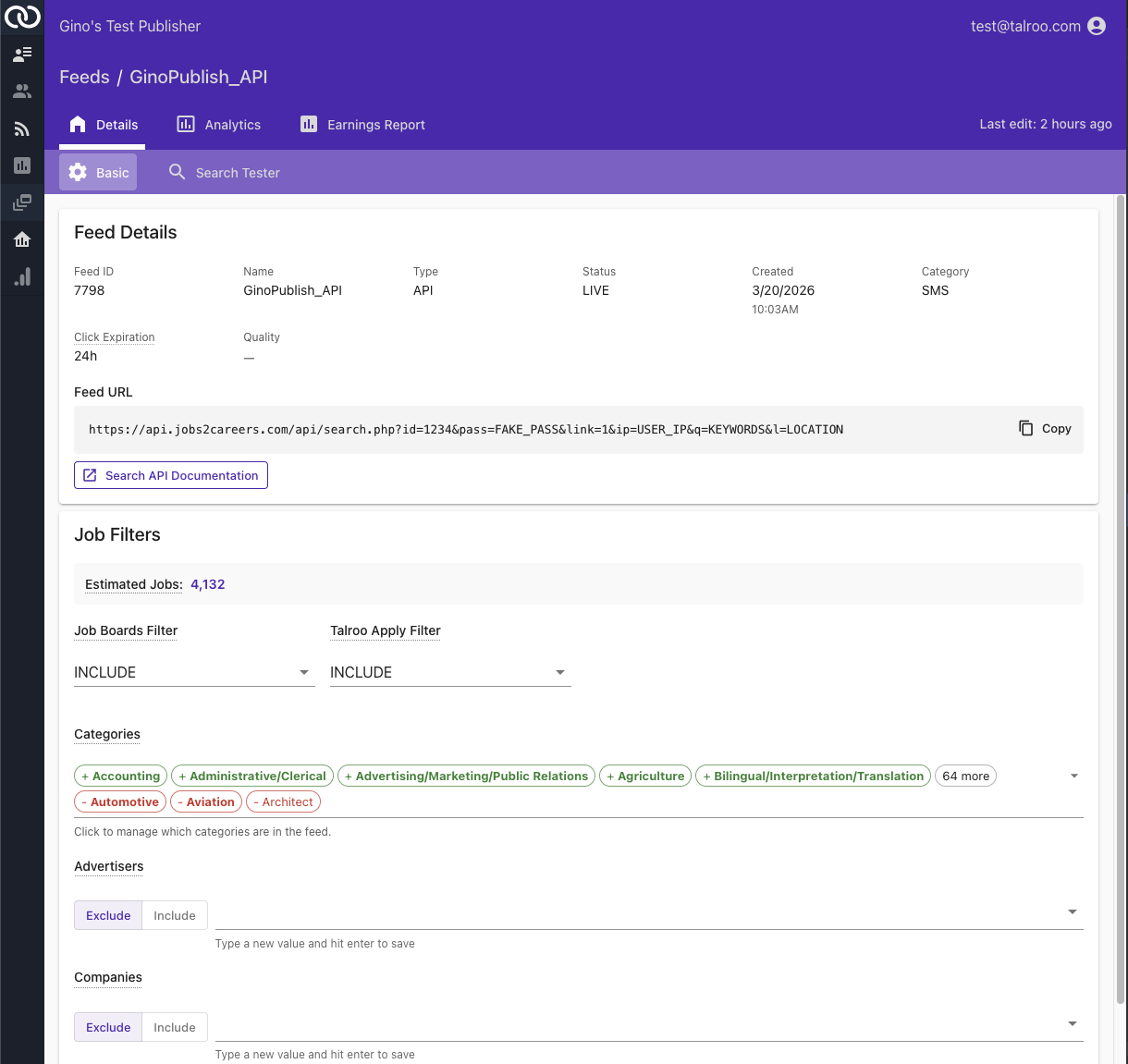
Feed Metadata
| Field | Description |
|---|---|
| Feed ID | Numeric publisher ID |
| Name | Your label |
| Type | API / XML / Widget / Affiliate Link |
| Status | LIVE or ARCHIVED |
| Created | When the feed was provisioned |
| Category | General publisher classification (not the same as API sub-categories) |
| Click Expiration | How long click URLs stay valid (24h) |
| Quality | Current Quality Score for this feed |
Feed URL
The Feed URL field shows your live integration URL with credentials embedded. It'll either be an affiliate url, a download url for XML, or an api endpoint for API.
The URL contains your id and pass. Don't expose it in client-side code or commit it to a public repository.
Job Filters
This is where you control which jobs flow through the feed.
| Control | Description |
|---|---|
| Estimated Jobs | Live count of jobs currently matching your filter set. This is a rough estimate without accounting for traffic quality |
| Job Boards Filter | Include or exclude jobs that are classified as coming from a Job Board |
| Talroo Apply Filter | Include or exclude jobs that use Talroo Easy Apply |
| Categories | Add or remove jobs classified by industry. The chips show your current category list. |
| Advertisers | Exclude or include specific advertisers |
| Companies | Exclude or include specific company names |
| Job Types | Use to filter on types like Full Time or Part time jobs |
| States | Filter out jobs by location |
| Exclude Campaigns | Filter out jobs belonging to an advertiser's sub-group |
Changes save automatically after 3 seconds (look for the "Last edit: N seconds ago" indicator at the top right).
If healthcare converts and hospitality doesn't, drop hospitality from Categories. Remove jobs that your audience does not resonate with
XML Settings
XML feeds have extra controls below Job Filters. They control how the file is built.
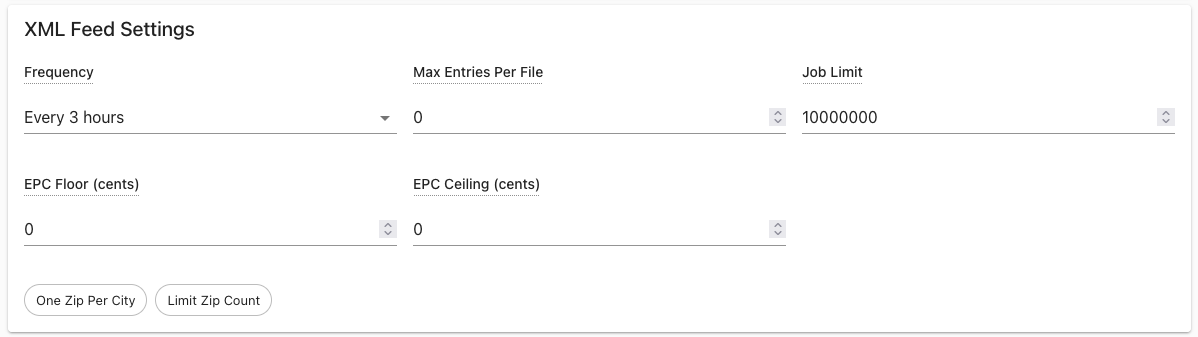
| Setting | Description |
|---|---|
| Frequency | How often Talroo regenerates your XML feed (e.g. Every 3 hours). More frequent importing means fewer stale and expired click issues. See Click Validation. |
| Max Entries Per File | Cap on how many job entries each feed file contains. 0 means no per-file cap; large feeds will still be split into multiple part files. |
| Job Limit | Cap on total jobs across the whole feed. Use this if your downstream system has a hard cap. |
| EPC Floor (cents) | Excludes jobs paying below this CPC. Keeps low-payout jobs out of your feed when you have a minimum-revenue threshold. |
| EPC Ceiling (cents) | Excludes jobs paying above this CPC. Rarely needed. |
| One Zip Per City | When enabled, only one job per city is included rather than duplicates across multiple zip codes in the same city. |
| Limit Zip Count | When enabled, caps the number of unique zip codes per location in the feed. |